Kintsugi
Support
How do I play?
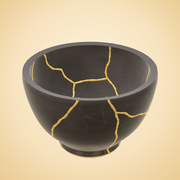
Tap the piece to break it. Then drag shards from the tray back onto the pot, starting from the foot. Each crack you close fills with gold. Drag the pot sideways to turn it, pinch to zoom, and hold “Peek” to see where every shard goes. Stuck? Tap “Hint”.
Can I carry on later?
Yes. A mend in progress is saved whenever you leave or switch apps. Tap “Continue mending” on the home screen.
How does the Daily Break work?
Every day there’s one new piece, broken the same way for everyone. Mend it each day to build your streak. Patrons get one streak freeze a week, and can mend any past day from the archive.
My purchases are missing
Open Settings › Restore purchases in the app, and make sure you’re signed in with the Apple Account you bought them with.
How do I cancel my membership?
In the app, open Settings › Manage subscription. Or open the Settings app, tap your name, then Subscriptions. You keep everything a Patron gets until the end of the period you’ve paid for.
How do I ask for a refund?
Refunds are handled by Apple. Visit reportaproblem.apple.com, sign in with your Apple Account, and choose the purchase.
Will my progress move to a new iPhone or iPad?
Yes, if iCloud is on for Kintsugi. Your progress syncs through your own iCloud account.
Can I view my pieces in AR?
Open a piece in your cabinet and tap “View in your room” to place it on a real table. You can also share a picture or a turntable video of it.
Is Kintsugi accessible?
Yes. The game works with VoiceOver (including a “place a shard for me” action), Dynamic Type, Reduce Motion, Increase Contrast, Switch Control and a keyboard.
Which devices does it run on?
iPhone and iPad with iOS 18 or later.
How do I reset everything?
Settings › Reset all progress. This clears your progress on all your devices; purchases are kept.
Something went wrong
Settings › Share diagnostics sends the app’s crash and performance reports to whoever you choose, for example by email to us. They contain no personal data.
Write to us
[email protected]. It helps to mention your device and iOS version. We read every message.